← All Unity tools

Localization tool · Unity Asset Store

DeepLoc

Translate your whole game in one click with DeepL. Switch languages at runtime, with right-to-left and Devanagari text handled for you.
Version 1.0 · Updated October 2026 · 14.9 MB

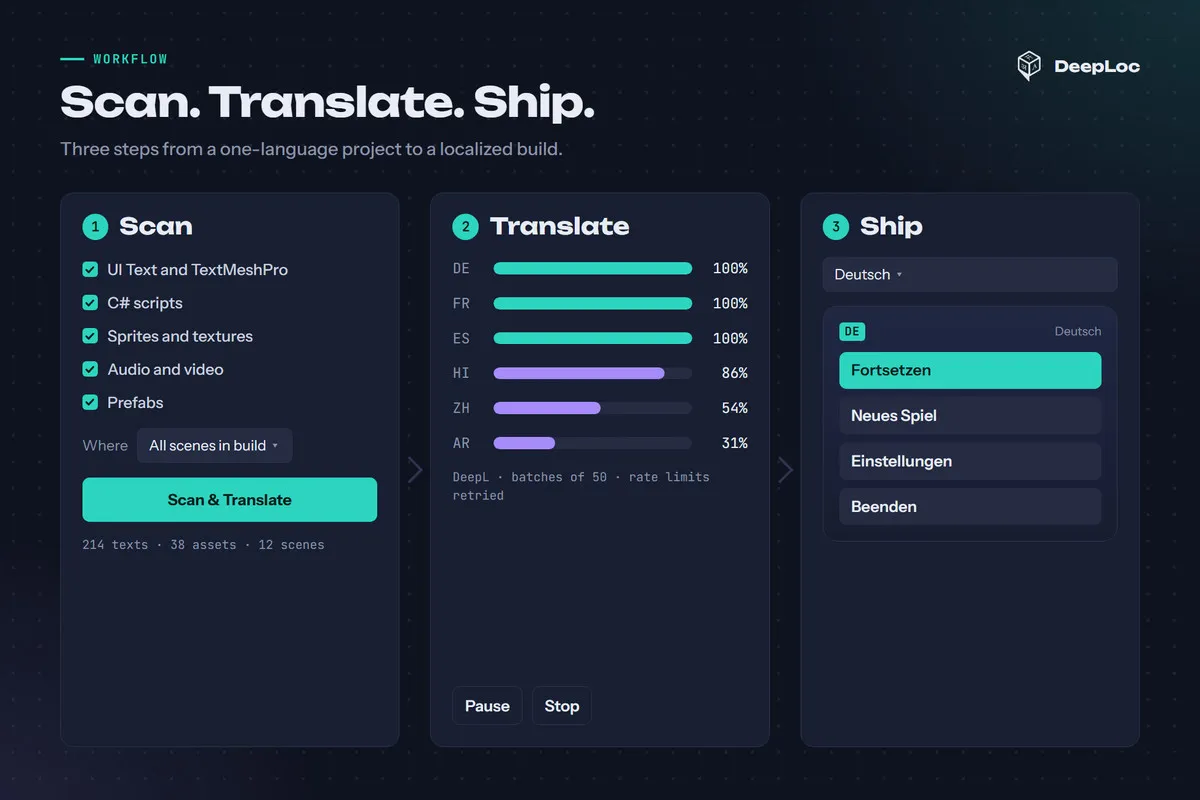
DeepLoc workflow: scan, translate with DeepL, then switch languages in game

DeepLoc scans your scenes, prefabs and C# scripts, translates them with DeepL, and switches languages at runtime.

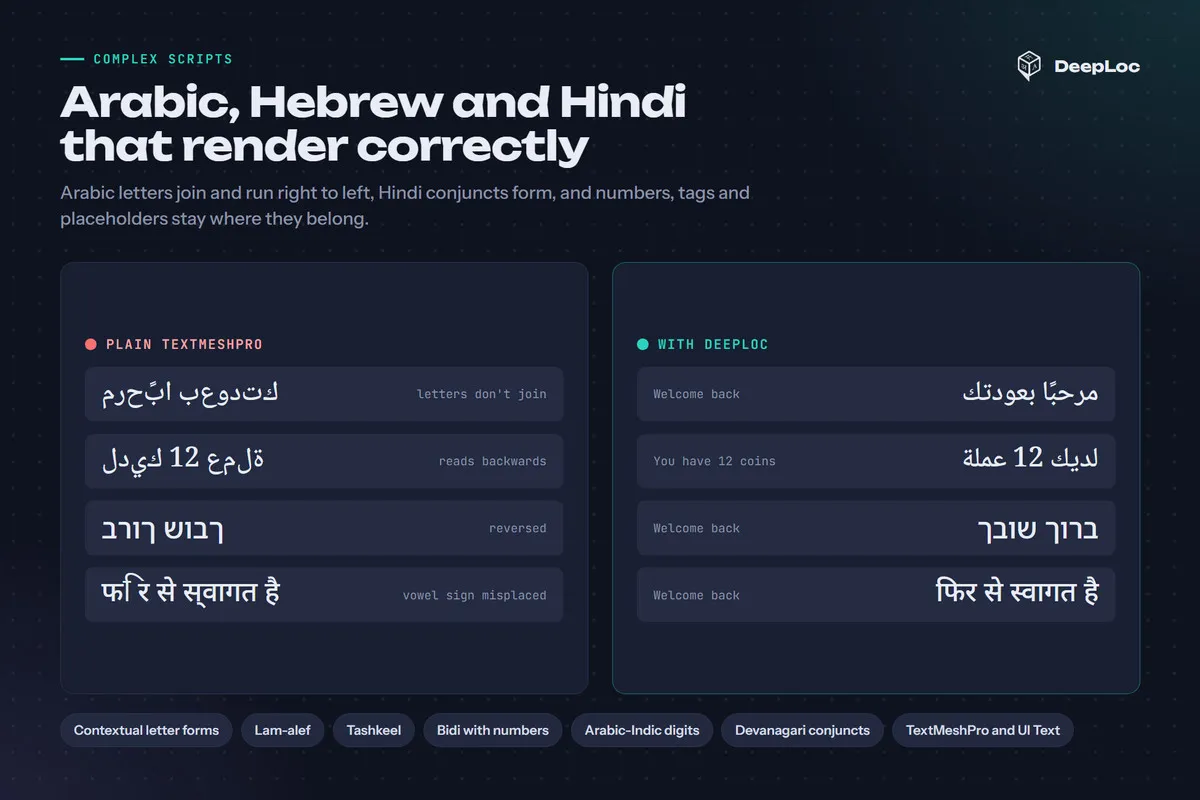
Text, sprites, audio, video, materials and prefabs all follow the player's language, and Arabic, Hebrew and Hindi render correctly in TextMeshPro.
How it works

  1. 01

    Scan

    Find UI Text, TextMeshPro, hard-coded script strings and localizable assets across your build scenes and prefabs.

  2. 02

    Translate

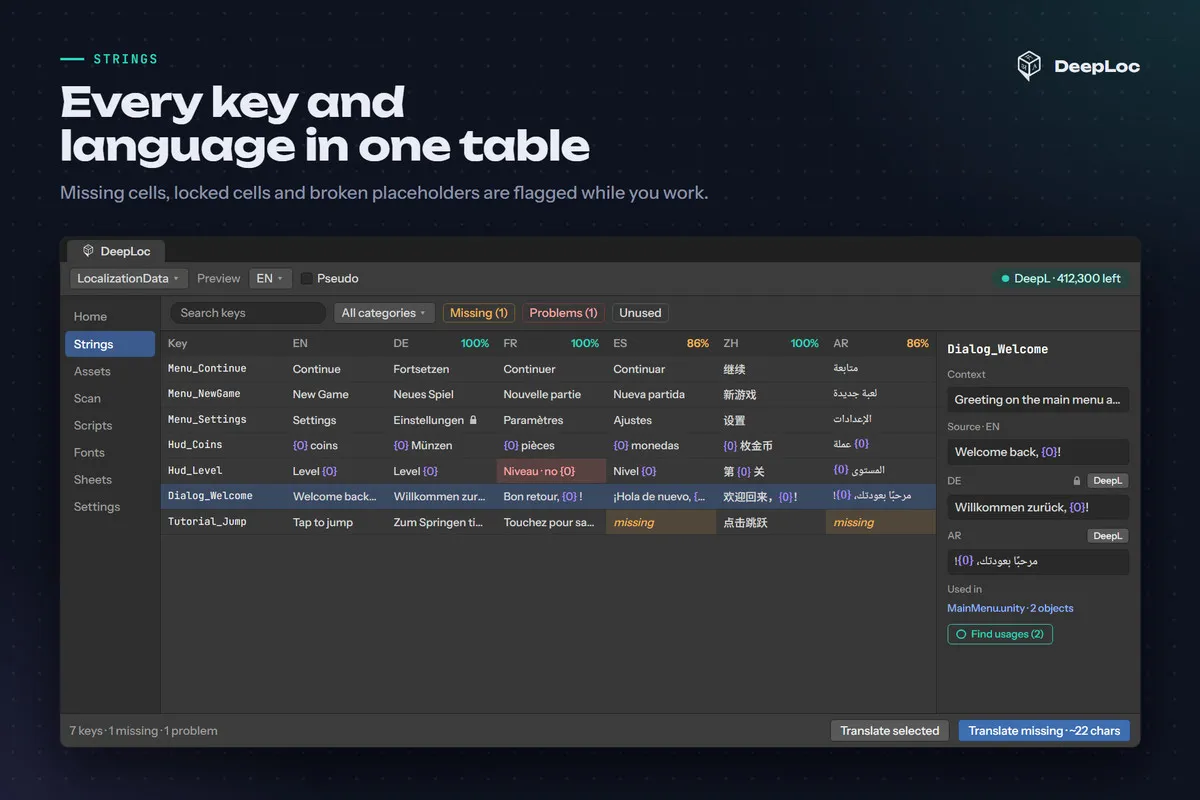
    Send missing text to DeepL in batches. Placeholders like {0} and tags like <color> stay protected.

  3. 03

    Ship

    Localized components update the moment you call SetLanguage, and the Language Selector remembers the player's choice.

What you get

In the editor

  • One window with Strings and Assets tables, per-language coverage and filters for missing, broken and unused entries
  • Find usages for every key, and locks that keep DeepL away from your manual edits
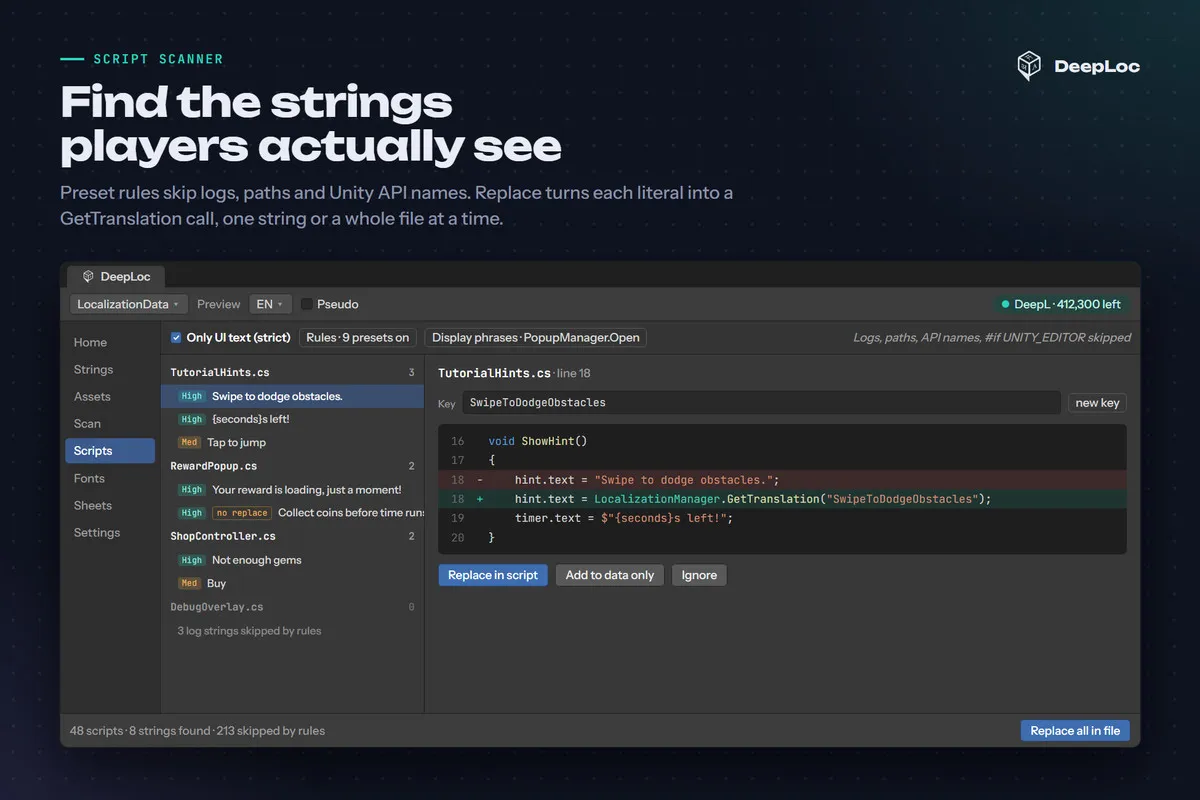
  • Script Scanner turns player-facing string literals in your C# into GetTranslation calls
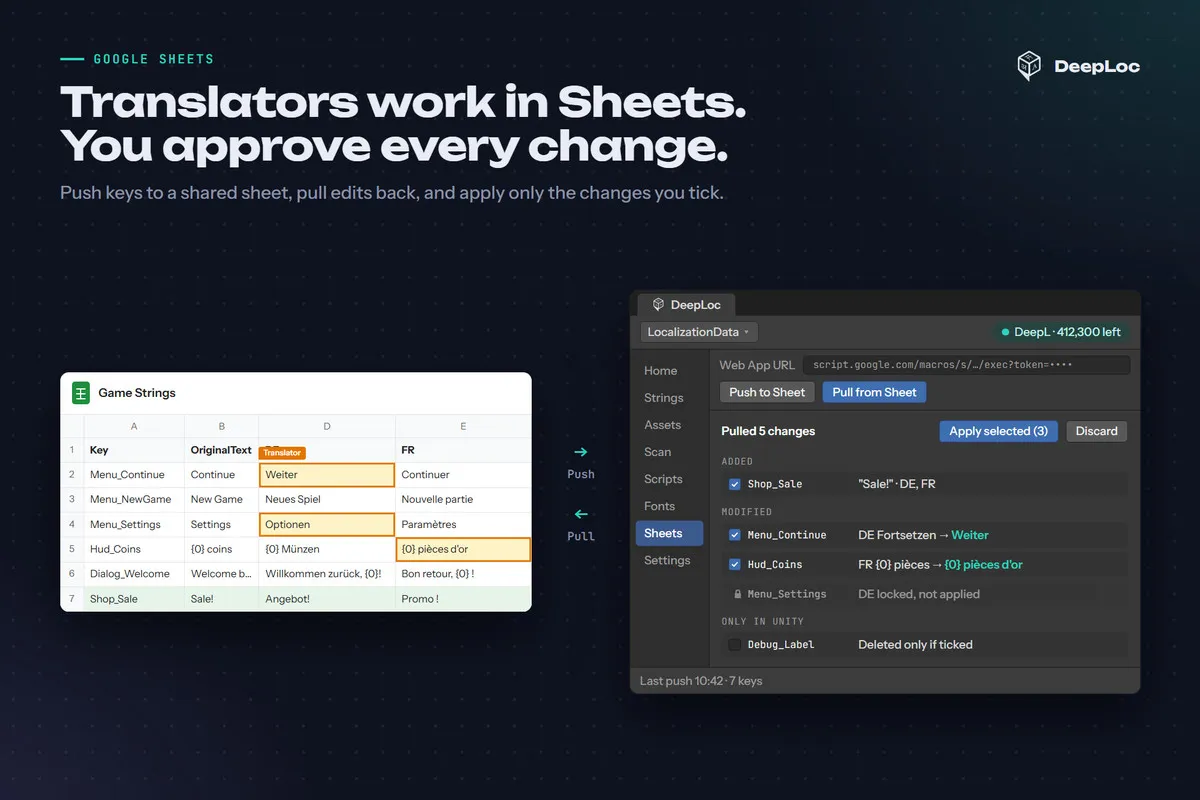
  • Google Sheets sync with a review of every changed cell, or CSV offline
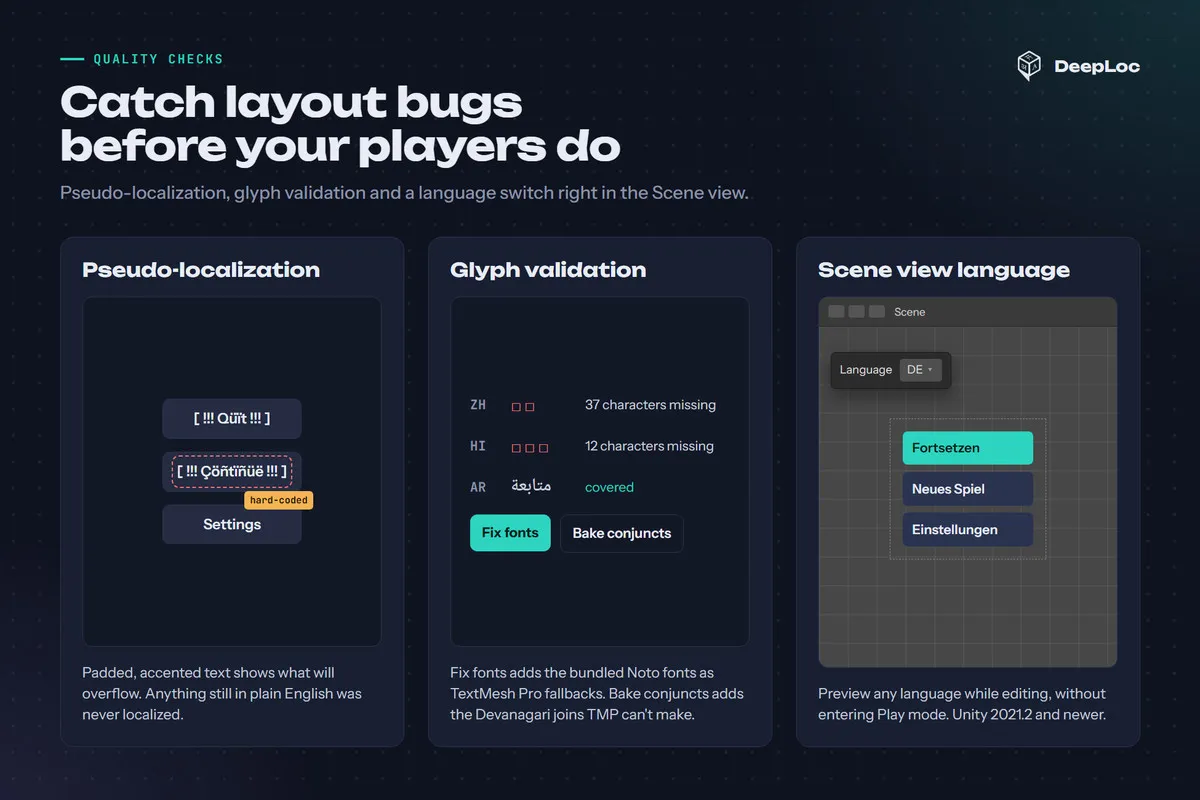
  • Pseudo-localization and a Scene view language switch to catch truncation early

Languages and fonts

  • Arabic and Persian letter shaping and Hebrew reordering for TextMeshPro and UI Text
  • Hindi, Marathi and Nepali with correct vowel signs, conjuncts and half forms
  • One-click Noto font fallbacks for Arabic, Hebrew, Devanagari, Japanese, Korean and Chinese
  • Glyph validation lists characters your fonts cannot draw

At runtime

  • Localized components for text, images, sprites, materials, video, audio and prefabs
  • Plural forms and per-platform text, such as "Tap" on mobile and "Click" on desktop
  • A generated LocKeys class for compile-time-safe keys
  • Optional Addressables support that loads only the active language

Requirements

  • Unity 2019.4 or newer
  • Built-in, URP and HDRP
  • TextMeshPro
  • A DeepL API key to translate in the editor (DeepL has a free API plan). Your game does not need it at runtime.

Included

  • Full C# source, no DLLs
  • Sample scenes with ready-made translations
  • User guide

Stay in the loop

Get new games first.

New releases, tool updates and behind-the-scenes devlogs. No spam, ever.